
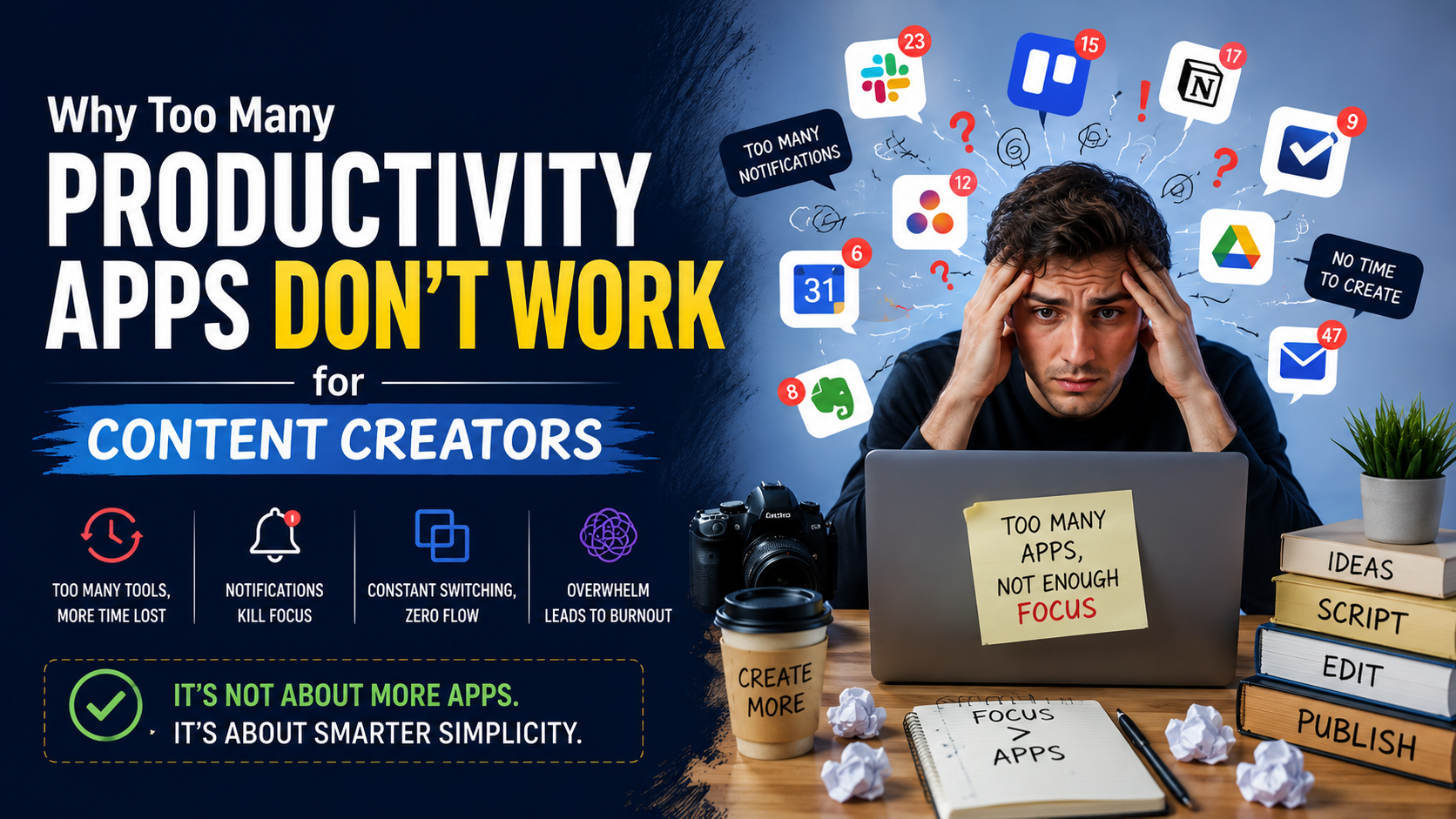
If you’ve ever searched for ways to become more productive, you’ve probably come across hundreds of app recommendations. From task managers and note-taking apps to habit trackers, Pomodoro timers, AI assistants, calendars, and focus tools, there seems to be an app for everything.
At first, downloading these tools feels exciting. You believe the next app will finally help you stay organised and create content consistently. But after a few weeks, many creators realise something surprising—they’re spending more time managing productivity apps than actually producing content.
This is a common problem known as having too many productivity apps. Instead of simplifying your workflow, using too many tools can make it more complicated. Notifications increase, information gets scattered across multiple platforms, and switching between apps becomes another form of distraction.
The good news is that productivity doesn’t come from using more apps. It comes from building a simple system that works for you. Let’s explore why this happens and how creators can build a smarter workflow using fewer tools, including modern AI solutions.
The Productivity Trap
Many content creators believe that every successful creator uses dozens of specialised tools.
The reality is quite different.
Successful creators usually rely on a small number of tools that they know well. They spend less time organising their workflow and more time creating valuable content.
The problem begins when creators keep adding new apps without removing old ones.
For example, someone might use:
- One app for notes
- Another for task management
- A different calendar
- A habit tracker
- A separate brainstorming tool
- Two scheduling apps
- Multiple cloud storage platforms
- Several AI writing tools
Each app may be useful on its own, but together they create unnecessary complexity.
More Apps Don’t Always Mean More Productivity
Imagine starting your workday.
Before writing your first blog, you check your task manager.
Then you open your calendar.
Next, you review your habit tracker.
After that, you switch to your notes app.
Then you search for ideas in another platform.
By the time you’re ready to write, you’ve already opened five or six different applications.
This constant switching breaks concentration and increases mental fatigue.
Instead of creating content, you’re managing software.
Why Content Creators Need Simplicity
Content creation already involves multiple responsibilities.
You might need to:
- Research topics
- Write articles
- Record videos
- Edit content
- Design thumbnails
- Create social media posts
- Respond to comments
- Track analytics
Your workflow is naturally complex.
Adding too many productivity tools often creates another layer of work instead of removing it.
The simpler your system, the easier it becomes to stay consistent.
The Hidden Cost of App Switching
Every time you move between applications, your brain needs to adjust to a different interface, layout, and task.
This process is known as context switching.
Although each switch only takes a few seconds, repeated interruptions throughout the day reduce your ability to focus deeply.
Many creators don’t realise how much time they lose simply opening, closing, and checking different apps.
Small interruptions eventually become hours of lost productivity every week.
Choose One Tool for One Purpose
Instead of downloading multiple apps that perform similar functions, choose one reliable solution for each major task.
For example:
- One note-taking app
- One project management tool
- One calendar
- One cloud storage platform
- One content scheduling tool
This approach reduces confusion and helps you build habits around a consistent workflow.
Let AI Handle Repetitive Tasks
Artificial Intelligence has made content creation significantly easier over the last few years.
Instead of replacing creativity, AI removes repetitive work that often slows creators down.
For example, an AI social media post maker can help generate caption ideas, suggest post variations, create engaging copy, and adapt content for different platforms.
Rather than spending thirty minutes rewriting the same message for Instagram, Facebook, LinkedIn, and X, AI can generate platform-specific drafts within minutes.
This allows creators to spend more time refining their message instead of repeating manual work.
AI Should Simplify Your Workflow, Not Complicate It
Ironically, some creators repeat the same mistake with AI.
Instead of using one or two AI tools effectively, they install ten different AI platforms that perform similar tasks.
One tool writes captions.
Another generates hashtags.
A third creates images.
A fourth rewrites content.
A fifth generates videos.
Soon, creators find themselves comparing outputs instead of publishing content.
The goal isn’t to collect AI tools.
The goal is to build an efficient workflow.
Choose AI platforms that genuinely solve your biggest problems rather than downloading every new tool that appears online.
Signs You’re Using Too Many Productivity Apps
Not sure if you’ve crossed the line?
Here are a few warning signs:
- You spend more time organising tasks than completing them.
- You frequently forget which app contains important information.
- The same project exists in multiple tools.
- You receive notifications all day.
- You constantly switch between platforms.
- You keep testing new productivity apps instead of improving your workflow.
If several of these sound familiar, it may be time to simplify your system.
Build a Minimal Productivity Stack
Most creators don’t need dozens of applications.
A simple toolkit is often enough.
For example:
- A note-taking app for ideas
- A task manager for planning
- A calendar for deadlines
- An AI writing assistant
- An AI social media tool
- A cloud storage service
- A scheduling platform
Everything else should only be added if it solves a genuine problem.
Remember, every new app introduces another login, another notification, another learning curve, and another potential distraction.
AI Platforms Worth Exploring
If you’re looking to reduce manual work without making your workflow more complicated, several trusted AI platforms are worth exploring.
Depending on your needs, you can consider:
- ChatGPT for brainstorming, writing, and content planning.
- Canva AI for social media graphics and visual content.
- Adobe Express AI for quick marketing creatives.
- Predis.ai for generating social media content and scheduling ideas.
- InVideo AI for converting scripts into videos.
- CapCut AI for video editing.
- Descript for podcast and video editing.
- VEED for subtitles and online video editing.
You don’t need every platform on this list.
Try a few, identify the ones that fit your workflow, and build your process around them.
Focus on Systems, Not Tools
The most productive creators don’t chase every new app.
Instead, they build systems that are easy to repeat.
For example:
Monday:
- Research content.
Tuesday:
- Write.
Wednesday:
- Design visuals.
Thursday:
- Schedule posts.
Friday:
- Review analytics.
A repeatable system removes unnecessary decisions and keeps your creative energy focused on producing quality content.
Final Thoughts
It’s easy to believe that downloading another app will solve your productivity problems. However, the reality is often the opposite. Having too many productivity apps can create confusion, increase distractions, and make your workflow harder to manage.
Instead of collecting tools, focus on building a simple process that supports your creative goals.
Use technology intentionally, choose only the platforms that genuinely save time, and let solutions like an AI social media post maker automate repetitive work while you concentrate on strategy, storytelling, and connecting with your audience.
At the end of the day, productivity isn’t about how many apps you own. It’s about how consistently you create meaningful work. The creators who succeed are rarely the ones with the biggest toolkit—they’re the ones with the simplest and most effective workflow.