
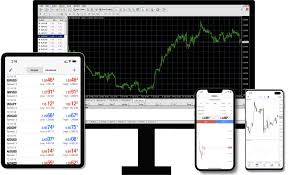
Opening a trading platform for the first time can feel a bit like walking into a control room without knowing which screen matters most. There are charts, numbers, buttons, symbols, and moving prices all competing for attention. That first moment can feel slightly intimidating, but MetaTrader 4 becomes much easier once you stop trying to understand everything at once and begin treating it as a space you can learn gradually.
Start With the Layout
The first thing to get used to is the general layout. You don’t need to master every feature immediately. Just knowing where the charts, market watch, navigator, and terminal are located can make the platform feel less overwhelming.
This matters because confidence often starts with familiarity. Once you know where things are, you spend less time searching and more time observing.
Learn the Chart Area First
Charts are usually where most of your attention goes. In MetaTrader 4, the chart area shows price movement, timeframes, and market behaviour.
Start by changing between timeframes, zooming in and out, and switching chart types. These small actions help you understand how the same market can look different depending on how you view it.
You don’t need to analyse everything straight away. At first, simply learning how the chart behaves is enough.
Get Comfortable With Market Watch
The Market Watch window lists available instruments and live prices. It can look busy at first, especially if there are many symbols displayed.
Try focusing only on a few markets instead of scanning everything. This makes MetaTrader 4 feel cleaner and easier to manage. As you become more confident, you can add or remove symbols based on what you actually follow.
Practise Opening and Closing Trades
Before using real funds, it’s worth practising on a demo account. This helps you understand the order window without pressure.
You can learn how to choose trade size, set stop loss and take profit levels, and close positions manually. These actions may seem small, but they are important because they become part of your routine.
Explore Tools Slowly
Indicators, drawing tools, and templates can be useful, but adding too many too soon can create confusion.
A better approach is to explore one tool at a time. Try a trendline first. Then maybe a moving average. See how each one changes your view of the chart before adding more.
This way, MetaTrader 4 becomes a learning space rather than a cluttered screen.
Create a Simple Routine
Getting used to the platform is easier when you develop a routine. Open the same charts, check the same areas, and use the same tools each time.
This repetition helps the platform feel familiar. Eventually, actions that once required thought become automatic.
Confidence Comes Through Repetition
Nobody becomes comfortable with a platform by rushing. The more time you spend clicking, observing, testing, and adjusting, the more natural it feels.
MetaTrader 4 may look technical at first, but it becomes far less intimidating when you break it into smaller steps. Over time, the platform stops feeling like something complicated and starts feeling like part of your trading process.