
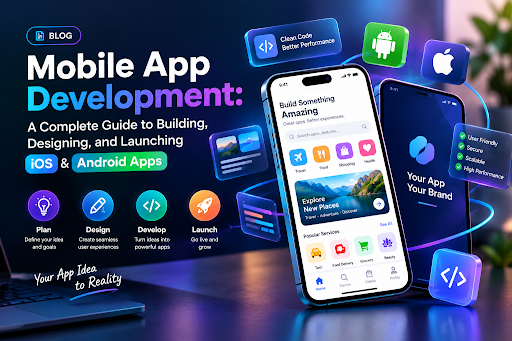
Everyone has had that moment — you’re using an app, everything feels effortless, and you think, “I could build something like this.” Then you sit down to actually start, and suddenly there are a hundred questions with no clear order to them. Do you start with design? Which platform first? What does “launch” even involve?
Mobile app development isn’t one single skill — it’s a chain of decisions, each one shaping the next. Understanding that chain, even at a high level, makes the difference between a project that stalls and one that actually ships.
Step One: Get Clear on the Problem, Not the App
Before any code gets written, the most important work happens on paper — or more realistically, in a messy notes app at 11pm. What problem does this app solve, and for whom?
This sounds obvious, but it’s the step most people rush past. An app built to “do everything” for “everyone” usually ends up doing very little for anyone. Successful apps tend to solve one problem exceptionally well before expanding. Think about the earliest versions of apps you use today — most launched narrow and grew wide, not the other way around.
Write down who your user is, what frustrates them right now, and how your app removes that frustration. Everything else in the process gets easier once this is nailed down.
Choosing Your Platform: iOS, Android, or Both
This is usually the first real fork in the road. Building natively for iOS means using Swift, while Android relies on Kotlin. Native development tends to offer the smoothest performance and the best access to platform-specific features, but it also means maintaining two separate codebases if you want to be on both stores.
Cross-platform frameworks like React Native and Flutter have become popular precisely because they let teams write one codebase that runs on both operating systems. This cuts development time and cost significantly, though it can come with minor trade-offs in performance or access to the newest OS features.
There’s no universally right answer here — it depends on your budget, your timeline, and how much your app depends on hardware-specific capabilities like camera processing or AR.
Designing for How People Actually Use Phones
Good design isn’t about making something look impressive in a portfolio — it’s about making something intuitive enough that a stressed, distracted user can figure it out in seconds. Mobile screens are small, attention spans are short, and thumbs are clumsy. Every design decision should account for that reality.
Start with wireframes — simple, low-detail sketches of each screen and how they connect. This stage is cheap to change and painful to skip. Once the flow makes sense, move into higher-fidelity mockups using tools like Figma, where you can test spacing, color, and typography before a single line of interface code is written.
Pay close attention to onboarding. Users decide whether to keep an app within the first few minutes of using it. If they’re confused immediately, no amount of good functionality further in will save the experience.
Building the App: Where the Real Work Begins
This is the stage most people picture when they think of mobile app development — actually writing the code that brings the design to life. It typically splits into two connected pieces: the front end, which is everything the user sees and touches, and the back end, which handles data, user accounts, and the logic running behind the scenes.
Most modern apps also rely on APIs to connect with external services — payment processors, maps, authentication providers, and so on — rather than building every feature from scratch. For example, a Taxi Booking Clone App Solution may bring together mapping, payments, authentication, and real-time booking within a single mobile experience. This is one of the biggest shifts in how apps get built today: developers spen d less time reinventing basic functionality and more time focusing on what makes their app unique.
Testing should happen continuously here, not just at the end. Catching a broken feature during development costs far less time and money than catching it after launch, when users are already frustrated and leaving one-star reviews.
Getting Ready for Launch
Launching isn’t just flipping a switch — it involves preparing your app for the specific requirements of each app store. Apple’s App Store review process is notably strict, checking everything from design consistency to how you handle user data. Google Play’s process is generally faster but still requires careful attention to policy compliance, especially around permissions and privacy.
Before submitting, make sure your app listing — screenshots, description, keywords — is polished. This is your first impression to potential users browsing the store, and a rushed listing can undercut months of solid development work.
It’s also worth running a soft launch in a limited region or with a small user group first. This lets you catch real-world issues without the pressure of a full public release, and gives you a chance to fix problems before word spreads.
After Launch: The Work Isn’t Over
A common misconception is that launching marks the finish line. In reality, it’s closer to the starting gun. User feedback will surface issues no amount of internal testing could catch. Analytics will show you where people drop off, which features get ignored, and which ones people love.
Regular updates — bug fixes, performance improvements, and new features based on actual usage data — are what separate apps that fade quietly from ones that build lasting user bases. Treat the months after launch as an extension of the development process, not an afterthought to it.
Bringing It All Together
Mobile app development is rarely a straight line from idea to App Store listing. It’s a cycle of building, testing, learning, and refining, with each stage informing the next. Whether you’re building solo or leading a full team, the projects that succeed are usually the ones that stay flexible — willing to rework a design, rethink a feature, or delay a launch date if it means shipping something users actually want.
The tools and platforms will keep changing, but the fundamentals — solving a real problem, designing with empathy, testing rigorously, and listening after launch — remain the backbone of every app that manages to stick around.